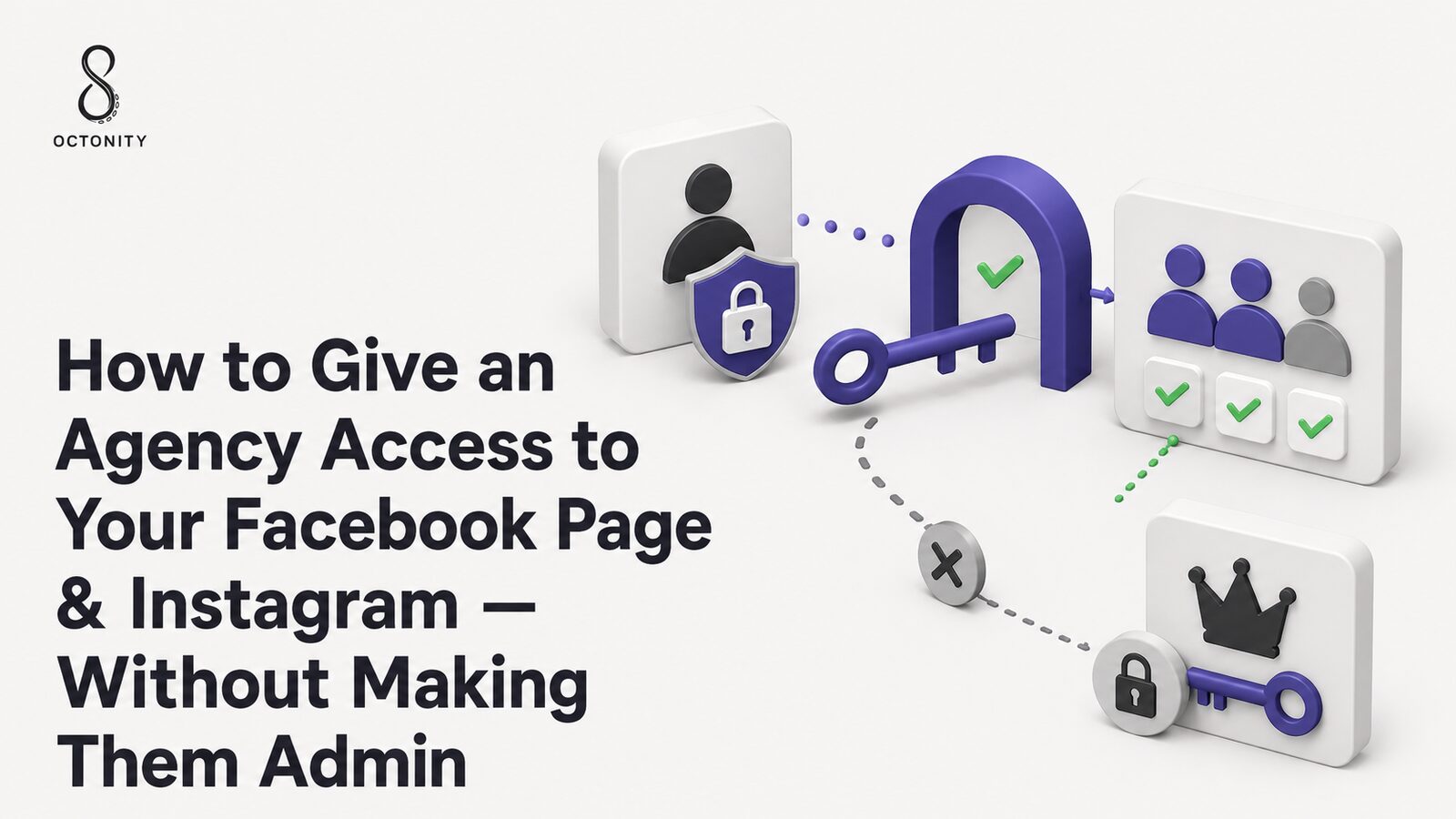
You hired an agency to run your Facebook Page and Instagram, and now they're
asking for "admin access." Here's the short answer: they almost never need
it. Meta's current permission system lets you grant an agency exactly the
tasks it performs — publishing, replying to messages, moderating comments,
running ads — while your business keeps full control of the Page, the
Instagram account, and everything attached to them. For a freelancer, that
means limited task access. For a professional agency, it means partner
access between your Meta Business Portfolio and theirs. This guide walks
through both, step by step.
The principle behind every section below: you own the assets; the agency
gets permissions. Never the other way around.
The two safe models at a glance
Hiring an individual freelancer?
You → Facebook Page → Task/limited access → Freelancer
Hiring a professional agency?
Your Business Portfolio
   → Facebook Page / Instagram / Ad account
      → Selected partner permissions
         → Agency's Business Portfolio
            → The agency's own employees
The second model is the one most businesses get wrong — and it's the one
that saves you the most pain later. With partner access, the agency manages
which of its employees touch your accounts. When one of their staff leaves,
you change nothing. When you change agencies, you remove one partner and add
another. Your Page, followers, message history, and ad account never move.
What are the Facebook Page access types today?
Meta replaced the old Page "roles" (Admin, Editor, Moderator, Advertiser,
Analyst) with a simpler model on the new Pages experience. If an agency
talks about making someone an "Editor," they're using legacy vocabulary —
here is the current one:
- Facebook access — the person can switch into the Page and act as the
Page inside Facebook itself. It comes in two levels:
- Facebook access (standard) — manage content, messages, comments,
ads, and insights from within Facebook.
- Facebook access with Full Control — everything above, plus the
power to manage other people's access, change critical settings, and
even delete the Page. This is the closest thing to the old "Admin."
- Task access — the person can work on specific tasks (content,
messages, community activity, ads, insights) through business tools like
Meta Business Suite, without switching into the Page on Facebook and
without touching its settings.
- Partner access — not a personal grant at all: your Business Portfolio
shares an asset with another business, with a permission set you choose.
One honest caveat you should keep in mind throughout this guide: Meta
renames menus and shuffles settings regularly. The concepts below are
stable; the exact button labels on your screen may differ slightly from any
guide you read, including this one.
How to give someone access from Facebook Page settings
This is the right path for a single freelancer or an in-house social media
manager. You'll need the person's name (as findable on Facebook) or email.
- Switch into your Page. On Facebook, use your profile menu to switch
from your personal profile into the Page.
- Open the Page settings.
- Find Page access (sometimes under "Page setup" — Meta moves this
label around).
- Under the people section, choose Add New / add a person.
- Select the access level. Grant standard Facebook access or task
access — whatever matches the actual work.
- Leave Full Control switched off unless you are adding a co-owner of
the business itself.
- Confirm with your password and send the invitation.
- The person must accept the invite before access becomes active —
pending invitations can be cancelled at any time.
Before you add anyone, write one sentence describing their job: "posts
and schedules content," "answers messages," "runs ads." Grant only what
that sentence needs. You can always add more later — walking permissions
back is the awkward conversation.
What is Task Access?
Task access is the least-privilege option in Meta's current model, and it's
enough for a surprising amount of agency work.
Someone with task access works through Meta Business Suite and other
business tools — not by "becoming" the Page on Facebook. You choose which
task areas they can touch:
- Content — create, publish, schedule, and edit posts, Stories, and
Reels.
- Messages — reply to the Page's inbox.
- Community activity — moderate, respond to, and manage comments.
- Ads — create and manage advertising for the Page.
- Insights — view performance data for content, ads, and the Page.
The exact checkboxes you see depend on Meta's current configuration and on
how your Page and portfolio are set up. But the principle holds: a person
with content-and-messages task access can do their daily job without any
ability to change your Page settings, remove you, or add other people.
Full Control: what it is, and why your agency doesn't need it
Facebook access with Full Control is the modern equivalent of the old
Admin role. A person with Full Control can typically:
- Manage everyone else's access — including removing you
- Change core Page settings
- Delete or merge the Page
- Hand access to further people you've never met
Do not give an external agency Full Control because they need to
publish posts. Publishing needs content permissions. Messages need
message permissions. Nothing about day-to-day social media management
requires the power to remove the business owner from their own Page.
When is Full Control legitimate? Genuinely rare cases: a co-founder, a
long-term in-house operations lead, or a trusted second owner whose job is
precisely to administer access and settings. It's an ownership-level trust
decision — not a working permission.
What is a Meta Business Portfolio, and why does it matter here?
A Business Portfolio (Meta's current name for what used to be called
Business Manager) is the container that holds a business's assets: Facebook
Pages, Instagram accounts, ad accounts, datasets/pixels, catalogs, and the
people and partners who may access them.
Two portfolio facts drive everything in the agency relationship:
- Your assets should live in your portfolio — not the agency's. The
business that holds the asset in its portfolio is the one that
ultimately controls it.
- Portfolios can share assets with other portfolios — that's partner
access, and it's the professional way to work with an agency.
How to add an agency as a Meta Business Partner
This is the setup a professional agency should ask you for. It takes five
minutes, and the agency never sees a password.
- Ask the agency for its Business ID — a numeric ID for their Business
Portfolio. Any real agency can send this in one message.
- Open Meta Business Suite for your business.
- Go to Settings (business settings).
- Find Users → Partners (or the current equivalent — Meta occasionally
relabels this path).
- Choose the option to give a partner access to your assets.
- Enter the agency's Business ID.
- Select only the assets the agency actually manages — the Facebook
Page, the Instagram account, and the ad account if they run your ads.
Nothing else.
- Select the permission level per asset. Give working permissions
(content, messages, community activity, insights; ads management on the
ad account if relevant) — not full control of the asset.
- Confirm. The agency now assigns its own employees to your assets
inside its own portfolio.
That last point is the quiet superpower of partner access: staffing on the
agency side becomes their problem. Their new hire gets access through
their portfolio; their departing employee loses it the same way. Your
settings never change.
How an agency can request access to your Facebook Page
The flow can also start from the agency's side — common when the client
isn't sure how to share. From the agency's Business Suite:
Agency Business Suite → Settings → Accounts → Pages
   → Add → Request shared access to a Facebook Page
Then the handshake:
Agency requests access with a chosen permission set
   → You receive the request (Business Suite notifications / Page settings)
      → You REVIEW the requested permissions
         → You approve (or edit down, or reject)
            → Agency manages the Page — you keep control
Review the request before approving. Some agencies request full control
of the asset by default — not out of malice, but out of habit. You are
free to approve a lighter permission set than requested, or ask them to
re-send the request with working permissions only. A professional agency
will not argue with that.
How to give an agency access to Instagram
Instagram access rides on the same rails, with one prerequisite: the
Instagram account should be a professional account (Business or
Creator) and connected to your business setup.
The safe sequence:
- Keep the Instagram account yours. It should be added to your
Business Portfolio: in Business Suite, look under
Settings → Accounts → Instagram accounts (wording may vary).
- Once the account sits in your portfolio, share it with the agency's
portfolio as a partner asset, exactly like the Page — with content,
messages, community, and insights permissions as needed.
- The agency's employees then manage Instagram publishing, DMs, comments,
and insights through business tools — without ever knowing your
Instagram password.
If an agency's onboarding process asks you to type your Instagram username
and password into a form or send it in a chat, that's the wrong process —
regardless of how reputable the agency is. Which brings us to:
Never share your Facebook or Instagram password with an agency
Password sharing feels quick and does real damage:
- No accountability. Every action looks like you. If something goes
wrong, there is no way to know which of the agency's five employees did
it.
- Offboarding is impossible. When an agency employee leaves, the only
real fix is changing the password — and re-sharing it with everyone else.
- Two-factor authentication breaks. Either you disable 2FA (dangerous)
or you become a human 2FA-code relay several times a week.
- Shared credentials leak. Passwords in chat threads, spreadsheets, and
onboarding docs are how accounts get hijacked.
- Revoking one person means revoking everyone. There's no scalpel —
only a hammer.
- Bigger attack surface. Every extra device logged into the owner
account is a full-privilege doorway.
Every agency employee should act through their own identity, granted
through the access systems above — never through your login.
What permissions does each responsibility actually need?
A working map (your exact options depend on your setup and Meta's current
interface — treat this as a starting point, not official Meta policy):
| Agency responsibility | Access needed |
|---|
| Publish posts | Content |
| Schedule content | Content |
| Manage comments | Community activity |
| Answer messages | Messages |
| View performance | Insights |
| Run advertising | Ads + the relevant ad account |
| Manage business ownership | Usually not required |
| Manage Page access for others | Usually not required |
| Full Control | Usually not required |
A real-world example: a restaurant hires an agency
Scenario 1 — content and community. A restaurant hires an agency to
handle Facebook posts, Instagram posts and Reels, scheduling, comments,
messages, and monthly reporting.
Reasonable setup:
- Restaurant's Business Portfolio holds the Page and the Instagram account
- Partner access to the agency's portfolio, on those two assets only
- Permissions: content, messages, community activity, insights
- No ad account shared, no full control anywhere
The agency can do 100% of the agreed work. It cannot change Page settings,
add strangers, or touch anything the restaurant didn't share.
Scenario 2 — the same agency now also runs Meta ads. One addition: the
restaurant shares its ad account with the agency's portfolio, with ads
management permission (and the Page's ads task if needed for boosting).
Note what didn't happen: the agency didn't gain ownership of the
restaurant's business, its Page, or its Instagram. Ad money and ad account
stay in the restaurant's name — billing, spending history, and results
included. If the relationship ends, the restaurant keeps its pixel data,
its audiences, and its ad history.
Who should control the Facebook Page?
Your business. Concretely: at least one — ideally two — people who work
for the business (owner, partner, senior manager) hold Facebook access
with Full Control, and the Page lives in the business's own portfolio. An
agency can be a partner with working permissions; it should never be the
only entity capable of administering the Page.
Who should control the Instagram account?
Same answer. The account is a professional account, connected to the
business's portfolio; the login email and phone number on the account
belong to the business (not to an agency employee); 2FA is enabled with
recovery codes stored by the business.
What if the agency created my Facebook Page?
It happens constantly: the agency built the Page or Instagram account
during a campaign, and months later the client realizes they don't control
their own audience. If you're in this position:
- Ask the agency to grant your business Facebook access with Full
Control on the Page, then move the Page into your Business
Portfolio.
- Move the Instagram account's login email/phone to business-owned
contacts, reset the password, enable your own 2FA.
- Repeat for anything else created on your behalf: ad accounts, datasets
(pixels), catalogs — each should live in, or be owned by, your
portfolio, with the agency downgraded to partner access.
- A professional agency will cooperate; treat resistance as a red flag
worth escalating before the contract renews.
The recovery email, recovery phone, and 2FA of every critical asset should
belong to your business. Never let one external person be the only human
who can administer an asset your business depends on.
What happens when you change agencies?
If you followed this guide, the transition is genuinely boring:
You own the assets
   → Agency A holds partner access
      → Contract ends
         → You remove Agency A (one action in business settings)
            → You add Agency B's Business ID as a partner
               → Work continues — same Page, same followers, same history
No password resets, no asset transfers, no "please give us our Page back"
emails, no downtime. This — more than any security argument — is why the
partner model pays for itself.
Which access method should you use?
- Individual freelancer → Page access with limited/task permissions
matched to their job.
- Professional agency → Business Portfolio → partner access → only the
assets they manage, with working permissions.
- Agency prefers to initiate → agency requests shared access → you
review the permission set → you approve.
- Analytics/reporting only → insights access only.
- Content creation without publishing → possibly no social account
access at all — they produce, you (or your scheduler) publish.
Security checklist
Where a management platform fits into this
The same principle — authorized access instead of shared logins — is how
social media management platforms should work, too. A serious platform
never asks the client to hand over an Instagram password; it uses the
platforms' official authorization flows, so consent is explicit,
scoped, and revocable:
Client → official platform authorization → selected social accounts
   → Octonity → authorized management
That's the model Octonity is built on. Accounts connect
through official OAuth flows, and an agency organizes its clients as
separate workspaces:
Agency workspace
   → Client A → their authorized accounts
   → Client B → their authorized accounts
   → Client C → their authorized accounts
Inside that structure, the agency team gets the day-to-day toolset —
publishing and scheduling across channels,
content planning, a unified inbox for messages and
comment management with AI moderation,
analytics, and team roles with approval workflows — while each client's
accounts remain each client's property, connected by consent and
disconnectable at any time. The access philosophy in this article and the
product philosophy are the same sentence: the client keeps control; the
agency gets authorized management. If that's the working model you want,
Octonity's Free tier is a low-stakes place to try it.
FAQ
Should I make my social media agency an Admin of my Facebook Page?
No. "Admin" (today: Facebook access with Full Control) includes the power
to manage access and settings — far beyond what social media management
requires. Grant task-level or partner permissions instead.
What Facebook access should I give an agency?
For a professional agency: partner access from your Business Portfolio to
theirs, covering only the shared assets, with content, messages, community
activity, insights — and ads, if they run your advertising.
What is the safest Facebook access for an agency?
The minimum set that covers their actual tasks, granted business-to-business
via partner access — never Full Control, never a shared login.
What is Facebook Task Access?
A permission level that lets someone perform specific tasks (content,
messages, community activity, ads, insights) through tools like Meta
Business Suite, without acting as the Page on Facebook or touching its
settings.
Does an agency need Full Control?
Almost never. Full Control is ownership-level power: managing other
people's access and core settings. Day-to-day management doesn't need it.
Does my agency need my Facebook password?
No — under no circumstances. All legitimate access flows work through
invitations and business-to-business sharing, tied to each person's own
identity.
Does my agency need my Instagram password?
No. Connect the professional Instagram account to your Business Portfolio
and share it with the agency's portfolio. They manage it through business
tools without your credentials.
Can an agency manage Facebook without Full Control?
Yes — completely. Publishing, scheduling, messages, comments, ads, and
reporting all run on task or partner permissions.
Can an agency manage Instagram without knowing my password?
Yes. That's the standard professional setup: portfolio-connected account,
partner access, agency employees working through their own logins.
Can an agency request access to my Facebook Page?
Yes — from their Business Suite they can request shared access to your
Page. You'll receive the request, review the permission set, and approve,
trim, or reject it.
Should an agency have access to my ad account?
Only if they run your ads — and then via partner access to the ad account
with ads-management permission, while the account itself stays owned by
your business.
What happens when I stop working with an agency?
If access was structured properly, you remove their partner access (and
any individual grants) in minutes. Your Page, Instagram, ad account,
history, and audiences remain untouched and fully yours.